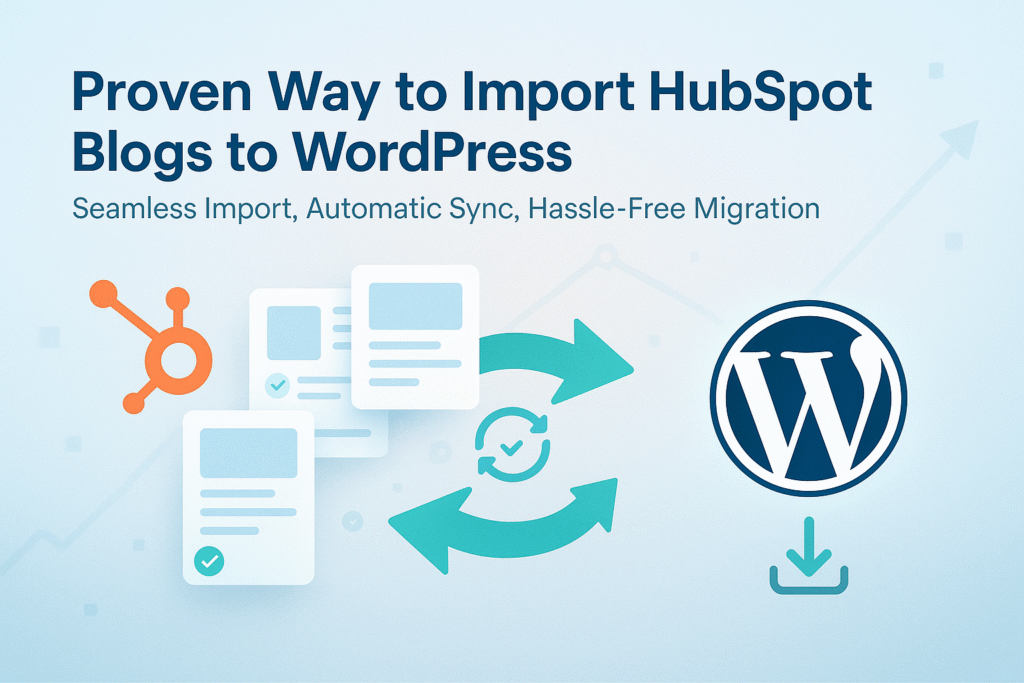
Are you looking for a simple and safe way to import HubSpot blogs to WordPress without breaking your content, images, or SEO?
You’re not alone.
Many website owners and marketers struggle when moving blogs from HubSpot to WordPress. Manual copy-paste takes hours, formatting breaks, images go missing, and keeping both platforms updated becomes a headache.
That’s exactly why the Blog Importer for HubSpot plugin exists.
In this guide, you’ll learn how to import HubSpot blogs into WordPress step by step, even if you are not technical at all.
Why Move Blogs from HubSpot to WordPress?
Before we start, let’s quickly understand why so many people switch.
1. WordPress Gives You More Control
With WordPress, you control:
- Your content
- Your SEO
- Your design
- Your hosting costs
Unlike HubSpot, WordPress does not lock your content behind a subscription.
2. Better SEO Flexibility
WordPress supports powerful SEO plugins like Yoast SEO and Rank Math, giving you more control over:
- Meta titles & descriptions
- URL structure
- Schema markup
3. Full Ownership of Your Content
Once your blogs are on WordPress, they belong completely to you. No platform limits, no restrictions.
The Common Problem with HubSpot Blog Migration
Most users try:
- Copy-paste blog content
- Export HTML manually
- Use incomplete scripts or tools
This usually leads to:
- Broken layouts
- Missing images
- Lost publish dates
- Duplicate posts
- No way to sync future blogs
The Smart Solution: Blog Importer for HubSpot Plugin
Blog Importer for HubSpot is a WordPress plugin designed specifically to import and sync HubSpot blogs automatically.
It helps you:
- Import all existing HubSpot blog posts
- Keep images, dates, authors, and metadata
- Remove unwanted HubSpot styling
- Automatically sync new posts in the future
Best part?
👉 You don’t need any coding knowledge.
What This Plugin Can Do (In Simple Words)
- Import HubSpot blogs into WordPress in one click
- Avoid duplicate posts
- Clean HubSpot-specific CSS
- Sync new or updated posts automatically
- Show import status and logs clearly
Step-by-Step Guide: Import HubSpot Blogs to WordPress
Now let’s walk through the exact steps, written for beginners.
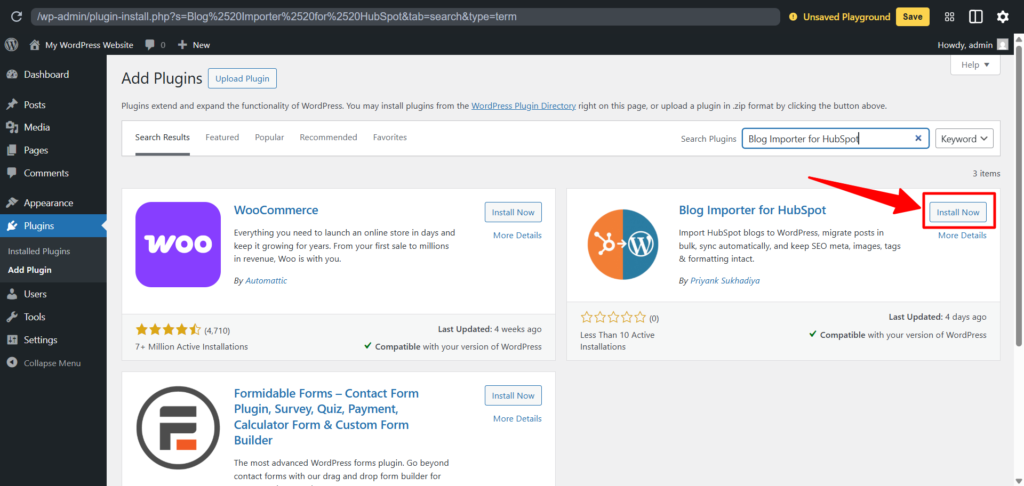
Step 1: Install the Plugin
- Log in to your WordPress Admin Dashboard
- Go to Plugins → Add New
- Search for “Blog Importer for HubSpot”
- Click Install Now
- Click Activate
Step 2: Open Plugin Settings
After activation:
- Look for “Blog Importer for HubSpot” in the left admin menu
- Click on it to open the plugin settings page
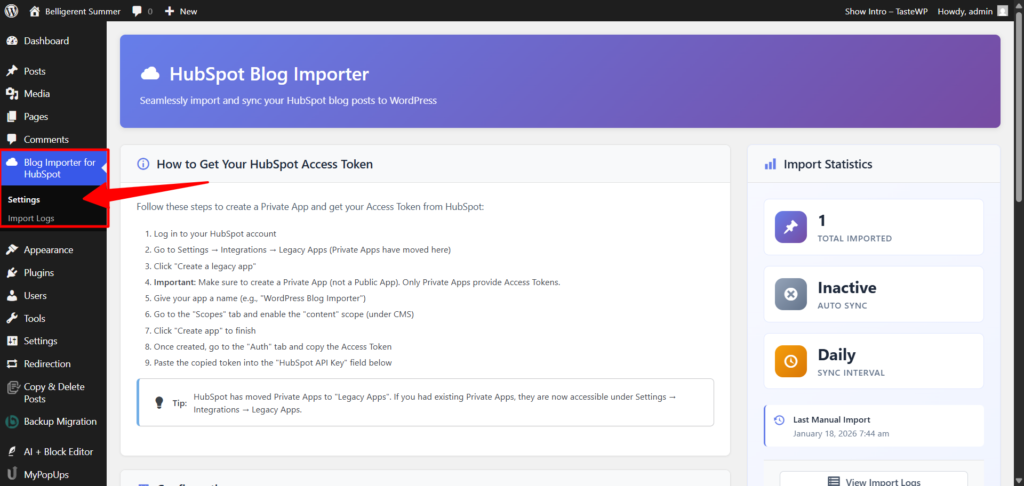
This is where all the magic happens.
Step 3: Connect HubSpot to WordPress
To allow WordPress to read your HubSpot blogs, you need a HubSpot Private App Access Token.
What to do:
- Create a Legacy Apps (Private App) in your HubSpot account
- Copy the Access Token
- Paste it into the plugin’s token field in WordPress
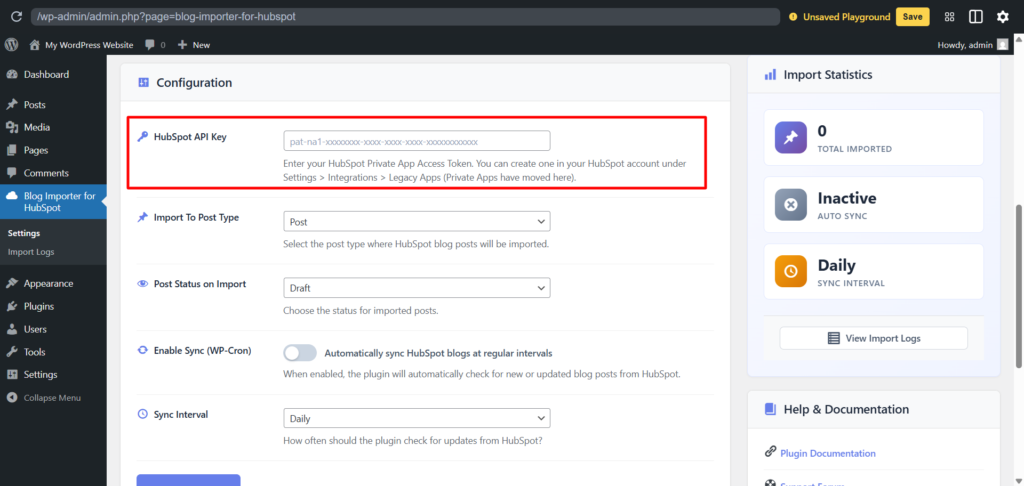
Don’t worry, this is a safe and secure method recommended by HubSpot.
Step 4: Choose Import Settings
Now select how you want your blogs imported:
- Post Type → Blog Post
- Post Status → Published or Draft
- Enable Auto Sync → Optional but recommended
You can also select how often WordPress should check for new HubSpot posts:
- Hourly
- Daily
- Weekly
Step 5: Run the Import
Once everything is set:
- Click “Run Import Now”
- The plugin will start importing your HubSpot blogs
- You can see progress and logs on the same screen
Sit back and relax ☕
No manual work needed.
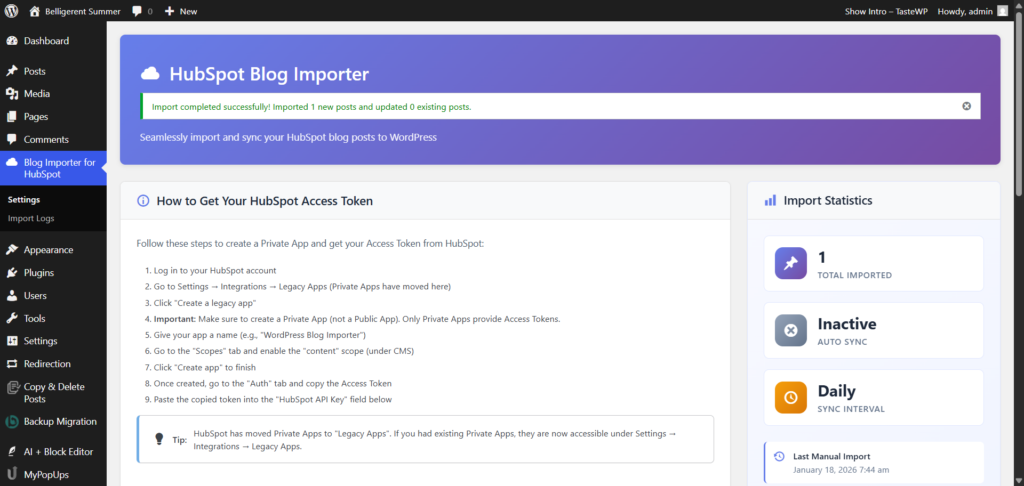
Step 6: Check Import Logs
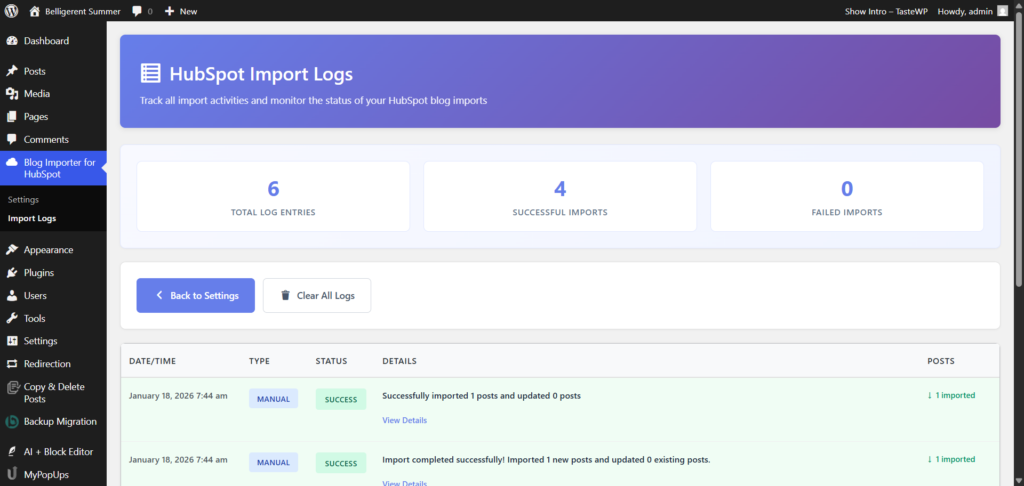
While the import is running, the plugin shows a Logs screen.
This screen helps you confirm that your HubSpot blogs are importing correctly.
What the Logs Tell You
- Shows which blog post is being imported
- Confirms when a post is created or updated
- Prevents duplicate posts automatically
- Displays a success message when the import is complete
If everything is successful, you’ll see a “Successfully Imported” message.
If there’s any issue, the log clearly shows it.
Step 7: Review Imported Blogs
After the import finishes:
- Open Posts → All Posts
- Check a few imported blogs
- Verify images, formatting, and content
In most cases, everything comes in perfect
Keep Blogs Updated Automatically (Auto Sync)
One of the biggest advantages of this plugin is automatic synchronization.
This means:
- If you publish a new blog on HubSpot → it appears in WordPress automatically
- If you update an existing post → WordPress updates it too
No repeated imports. No manual effort.
SEO Tips After Import (Very Important)
After importing HubSpot blogs to WordPress:
- Install Yoast SEO or Rank Math
- Optimize titles and meta descriptions
- Set proper 301 redirects if URLs changed
- Check internal links
This helps you retain and improve Google rankings.
Final Thoughts
Migrating blogs from HubSpot to WordPress does not have to be complex or risky.
With Blog Importer for HubSpot, you get:
- Clean migration
- Automatic syncing
- SEO-friendly structure
- Beginner-friendly setup
Whether you’re a marketer, business owner, or blogger — this plugin saves time and removes frustration.
Download the Plugin
👉 Download Blog Importer for HubSpot
https://wordpress.org/plugins/blog-importer-for-hubspot/