WordPress 6.9, the second major release of 2025, is now in its beta phase and available for public testing. Scheduled to launch on December 2, 2025, this update introduces a series of refinement-focused improvements that enhance editing, performance, collaboration, and developer workflows. While not a dramatic overhaul, WordPress 6.9 brings meaningful upgrades that shape the next stage of modern website building.
This version continues to evolve the Site Editor into a more capable and user-friendly environment, giving creators smoother design control and more intuitive content-building tools. With upgrades like improved template handling, expanded block options, and collaborative block-level commenting through the new Notes feature, WordPress 6.9 makes content creation more fluid than ever.
Developers also receive major additions, including the brand-new Abilities API, alongside enhancements to the Interactivity API, Block Bindings, DataViews, and the HTML API — opening new possibilities for AI-driven automation and advanced integrations.
Let’s explore everything that WordPress 6.9 brings to the table.
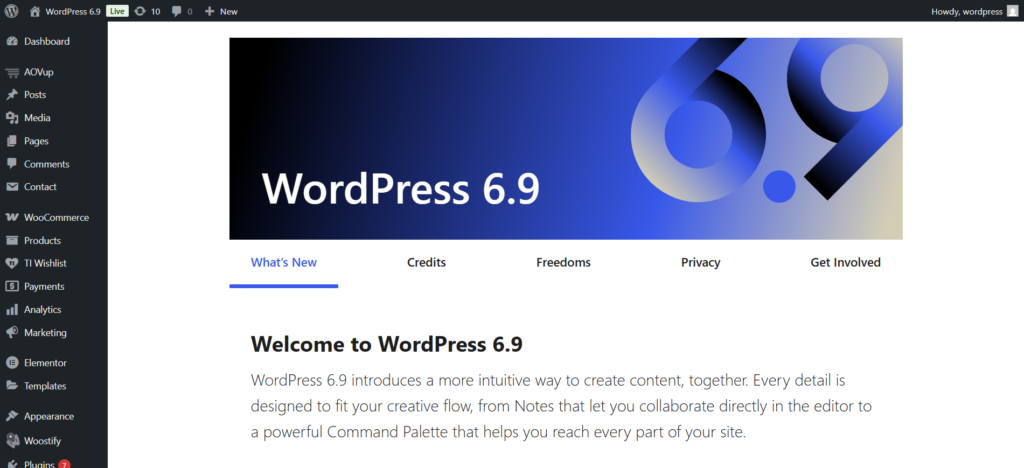
At a quick overview, the core improvements in WordPress 6.9 can be summarized as follows:
- New core blocks such as Accordion, Math, Time-to-Read, and more — expanding creative flexibility.
- Significant editor improvements for smoother, more intuitive building experiences.
- New developer APIs, including the Abilities API, updates to the Interactivity API, and enhancements to the Block Bindings system.
- Workflow upgrades such as collaboration via Notes, backend-only block visibility, and a more powerful Command Palette.
These updates strengthen both sides of the WordPress ecosystem:
- Creators and site owners get better editing, collaboration, and design control.
- Developers gain deeper integration capabilities and a more modern API layer.
Now let’s dive into the features that stand out the most.
What’s New in WordPress 6.9
Below, we break down the enhancements and categorize them by audience — content creators, website teams, and developers.
1. Content Creation & Editing Enhancements
Block-Level Notes for Collaboration
The new Notes system allows editors and teams to comment directly on individual blocks — text, images, sections, etc.
These comments appear only in the backend, making internal reviews and communication much easier.
Hide Blocks on Frontend (Backend Only Visibility)
Creators can now keep blocks editable in the backend while hiding them from live visitors.
This is extremely useful for:
- Seasonal content
- Draft sections
- A/B testing
- Future promotions
Expanded Command Palette
The command palette (Ctrl/Cmd + K) now works throughout the entire WordPress admin, allowing faster navigation and immediate actions without menu browsing.
New Core Blocks & Design Improvements
WordPress 6.9 introduces several new blocks and enhances existing ones:
- Accordion
- Math
- Time-to-Read
- Terms Query
Additionally, text-based blocks now include new “Fit Text” options for more flexible typography control.
2. Template, Theme & Site-Building Improvements
More Flexible Template Management
Users can now:
- Save templates as drafts
- Create multiple templates for a single URL
- Preserve custom templates even after switching themes
This dramatically reduces redesign risks and improves long-term maintainability.
Improved Site Editor Experience
The editor is smoother and more predictable, especially for non-technical users.
A key addition is content-only pattern editing, which allows editors to modify text and images without altering the original design structure — ideal for teams with strict branding guidelines.
3. Performance, Developer Enhancements & Future-Proofing
New Abilities API
A major new system that standardizes how WordPress registers capabilities across plugins, themes, and core.
This API is built with automation and AI integrations in mind, enabling:
- More structured permissions
- Machine-interpretable capability maps
- Cleaner integration with external systems
Interactivity API, Block Bindings & More
WordPress 6.9 expands its modern development APIs, offering better tools for building dynamic, application-like experiences:
- Smoother transitions
- Enhanced data binding
- More predictable script and style handling
Performance Upgrades
Improvements include:
- Optimized inline CSS
- On-demand block-level CSS
- Better script loading priority
- Faster WP-Cron shutdown
These result in a more responsive backend and noticeably faster frontend rendering.
Highlights of WordPress 6.9
WordPress 6.9 introduces several meaningful upgrades across the editor, design tools, performance layer, and theme customization system. While each improvement may seem subtle on its own, together they create a smoother, faster, and more reliable editing experience. Below are the key highlights that stand out in this release.
1. A Faster, More Responsive Site Editor
The Site Editor has received significant tuning to make editing feel more natural and efficient. Navigation within the editor is noticeably smoother, menus load faster, and layout shifts have been reduced dramatically. These refinements result in a more stable editing workflow, especially when working with complex templates or larger pages.
2. Advanced Block Design Controls for Greater Flexibility
WordPress 6.9 expands block styling options with more detailed controls for spacing, borders, backgrounds, typography, and layout adjustments. These enhancements allow creators to achieve polished, professional designs without touching any custom CSS. The editor now feels closer to a full design tool rather than just a content editor.
3. More Powerful Global Styles & Theme Customization
Theme styling sees a major improvement in this release. You can now adjust global colors, typography, spacing, and layout settings with increased precision — all from the Styles interface. These updates give creators more control over site-wide design consistency, reducing dependence on theme-specific CSS or third-party plugins.
4. Noticeable Performance Gains in Both Frontend & Backend
WordPress 6.9 introduces several performance optimizations that benefit the entire site ecosystem:
- Faster rendering of frontend pages
- More efficient CSS and script loading
- Reduced blocking assets
- A quicker, more responsive admin dashboard
These changes contribute to better SEO, improved Core Web Vitals, and a smoother user experience for both visitors and content managers.
5. Improved Font Handling & Global Style Consistency
Fonts are now managed more efficiently, reducing load times and ensuring consistent appearance across templates and design variations. With global font control built directly into WordPress, maintaining a unified look across your site becomes easier and more dependable.
6. Streamlined Workflows for Content Creators
Small but impactful refinements — such as improved drag-and-drop behavior, cleaner block interactions, and more intuitive writing flows — make everyday content creation faster and less frustrating. These updates create a more pleasant experience for anyone who spends long hours inside the editor.
Why WordPress 6.9 Matters
Here’s why these updates make a difference:
- Better internal workflows: Notes centralize feedback directly inside the editor.
- Lower redesign risks: Hidden blocks and flexible templates make experimentation safer.
- Improved performance: Faster loading improves SEO, engagement, and user experience.
- Future-ready architecture: Prepares for AI-driven tools and modern workflows.
- Cleaner, standardized APIs: Developers can build more scalable and stable solutions.
- Improved theme and plugin compatibility: Reduces breakage and long-term maintenance issues.
- Enhanced collaboration: Multiteam editing becomes more organized and efficient.
New Core Blocks
WordPress 6.9 introduces six brand-new blocks, reducing the need for third-party plugins and expanding native design capabilities.
The new blocks include:
- Accordion
- Term Query
- Time to Read
- Math
- Comment Count
- Comment Link
As core contributor Mathias Ventura noted:
“Not having these blocks in the core library limits expressiveness for creators and forces them toward external block libraries.”
Here’s a deeper look at each block.
Accordion
The long-awaited Accordion block is finally built into core.
It uses a nested structural system:
- Accordion – Main container
- Accordion Item – Contains heading + panel
- Accordion Heading – Toggles content
- Accordion Panel – Holds any type of content
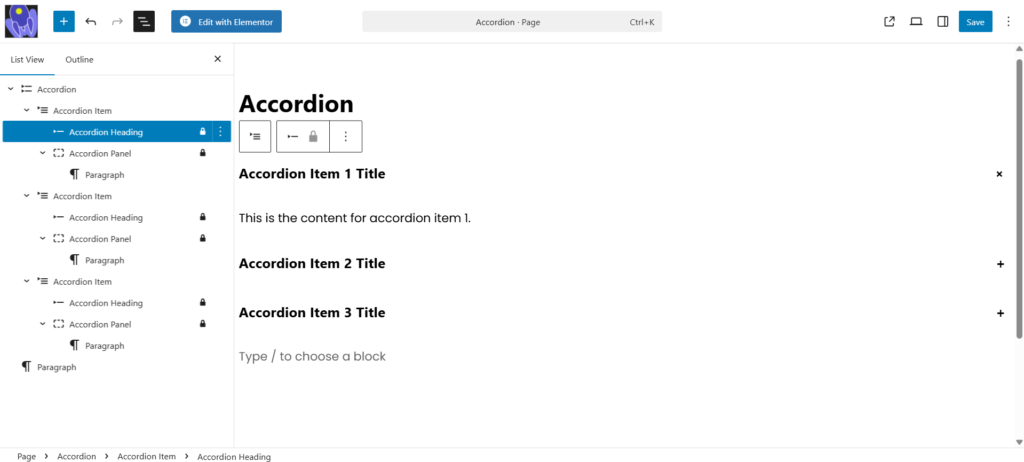
The Accordion block comes with a simple, minimal default design. However, if you want to customize its appearance, Justin Tadlock’s guide, “Styling accordions in WordPress 6.9,” offers a clear and helpful walkthrough for enhancing its visual style.
Terms Query
The new Terms Query block works similarly to the Query Loop block but displays taxonomy terms instead of posts.
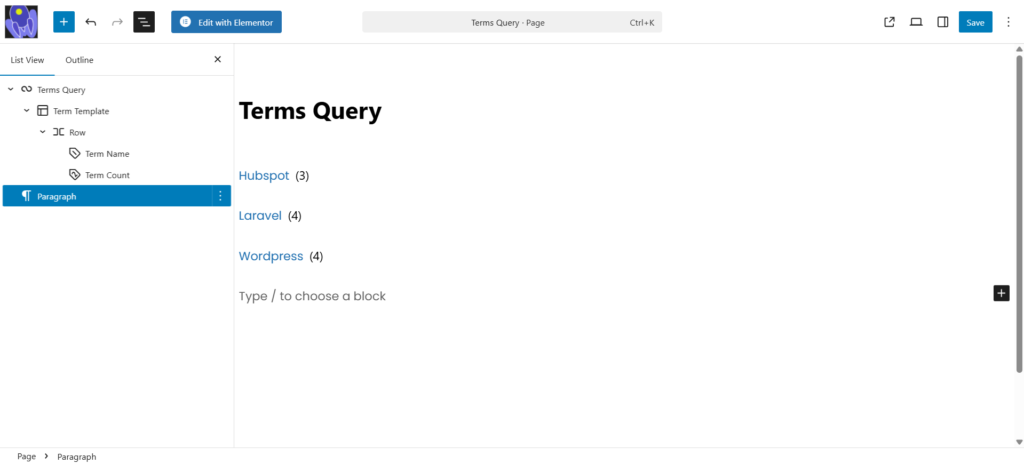
It includes controls for:
- Selecting taxonomies
- Sorting terms
- Showing/hiding empty terms
- Displaying nested terms
- Choosing the number of terms
Time to Read
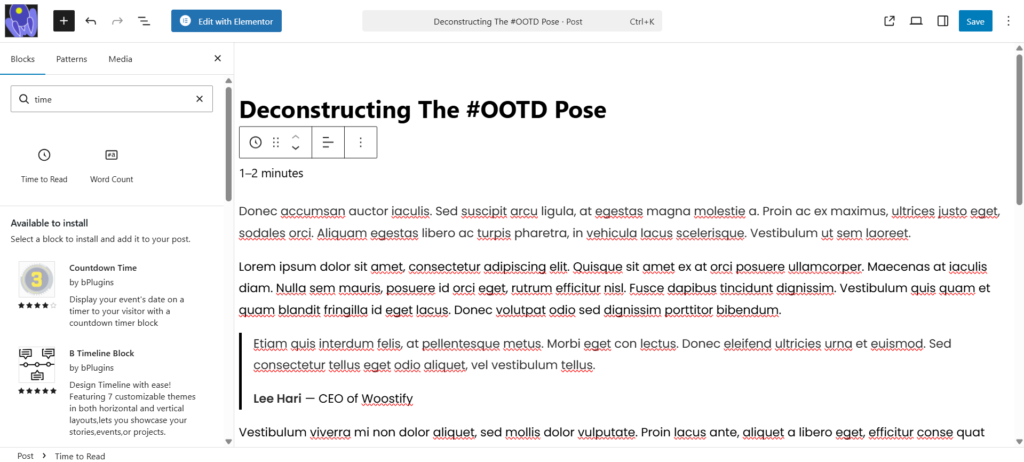
This block displays the estimated reading time for the current post or page.
Modes available:
- Time to Read
- Word Count
You can also choose between a specific time or a time range.
Math Block
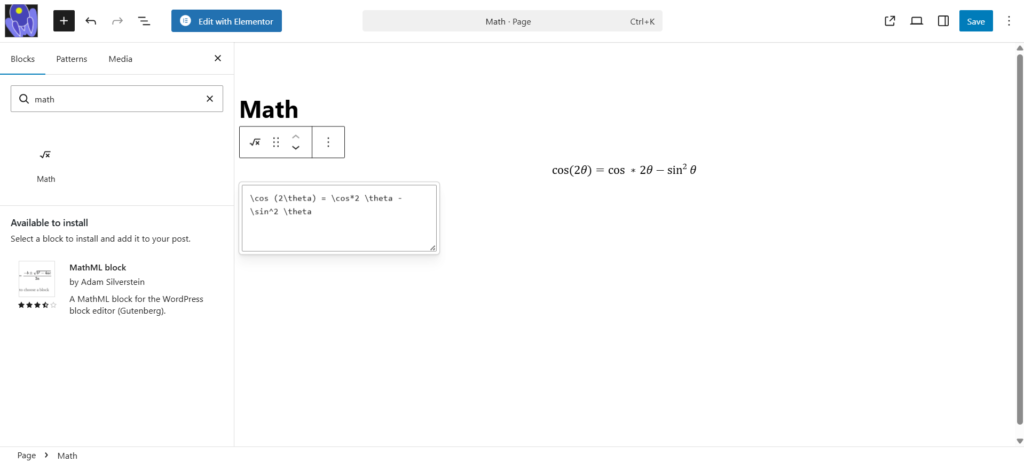
The Math Block allws you to insert mathematical formulas in content. Just write in LaTeX, and WordPress renders it automatically.
Conclusion
WordPress 6.9 is a refinement-focused update that significantly enhances day-to-day usability. With a smoother Site Editor, stronger performance, new block options, modernized APIs, and better compatibility with current PHP standards, this release benefits both creators and developers.
For teams managing multiple client sites, these improvements reduce friction, improve workflow efficiency, and support more stable long-term website operations.
WordPress 6.9 is not just an update — it’s a step toward a more collaborative, flexible, scalable, and future-ready CMS ecosystem.
Related Reading: Secure Your WordPress Site: 7 Proven Ways to Prevent Hacks